Founding price: Front Office at $249/month, locked for 12 months. Sign up by November 30. See the plan

Your Website ID

Enter the ID from your email to open your preview website, or to hear your AI receptionist answer as your business.

CRM for local service businesses

From first call to paid invoice.

BrickByClick is the CRM for local service businesses. The AI receptionist books the work, the office runs the pipeline and calendar, the crew runs the day from their phone, and customers pay on the spot.

  • No setup fees
  • Month to month
  • Live in about 2 weeks
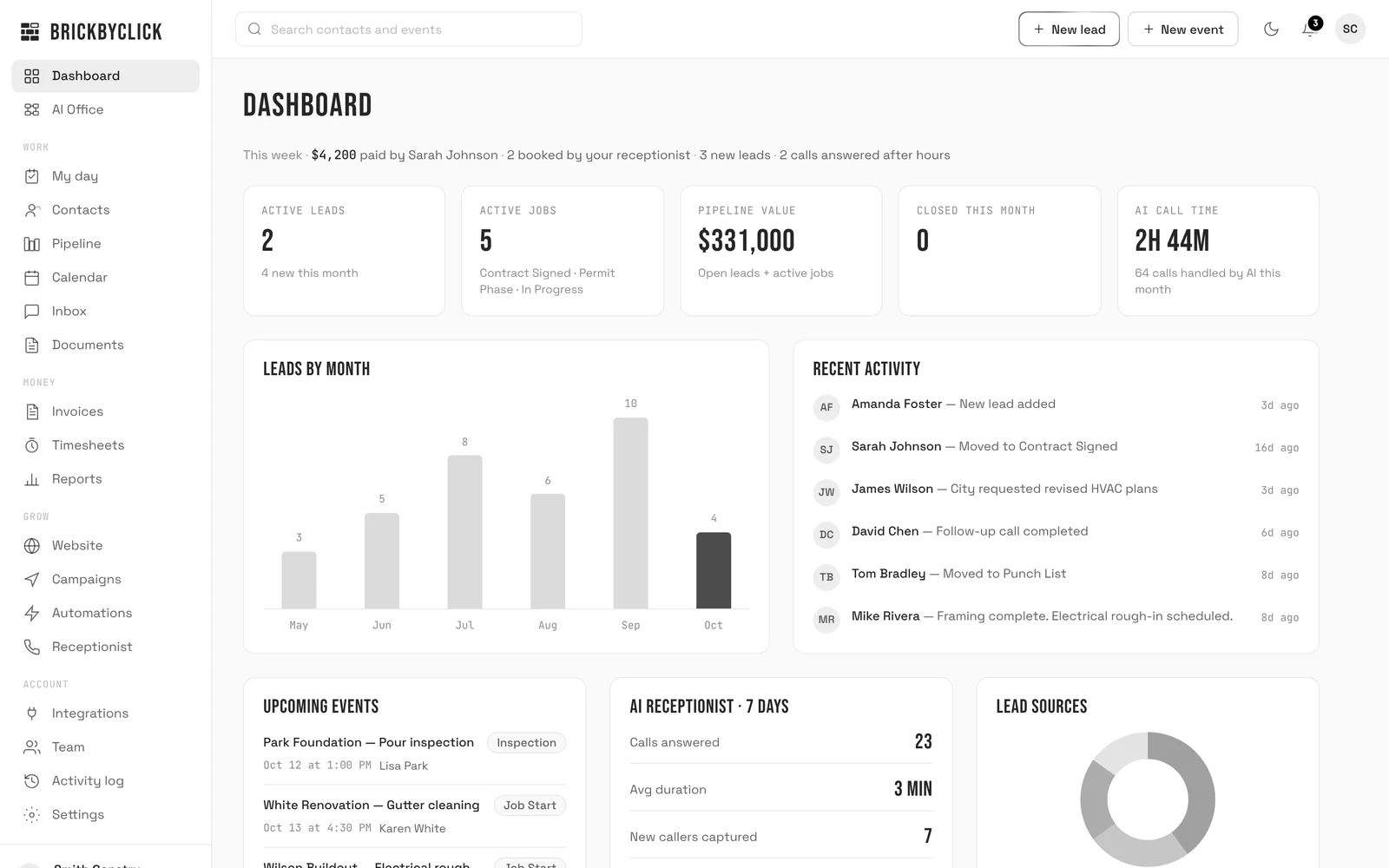
crm.brickbyclick.ai/dashboard
The CRM dashboard with sample data: this week's payments, bookings by the AI receptionist, active leads and jobs, leads by month and recent activity
Open the live demo (opens in a new tab)

The real CRM with a sample business loaded. No login, nothing to install.

Click through the pipeline, the calendar, My day and the invoices. Prefer more room? Open the full demo (opens in a new tab) in its own tab.

Four parts, one login

The front desk, the office, the crew and the money share the same contacts, calendar and jobs. Nothing gets typed twice.

01 · Front desk

Every call answered, day and night.

How the AI receptionist works

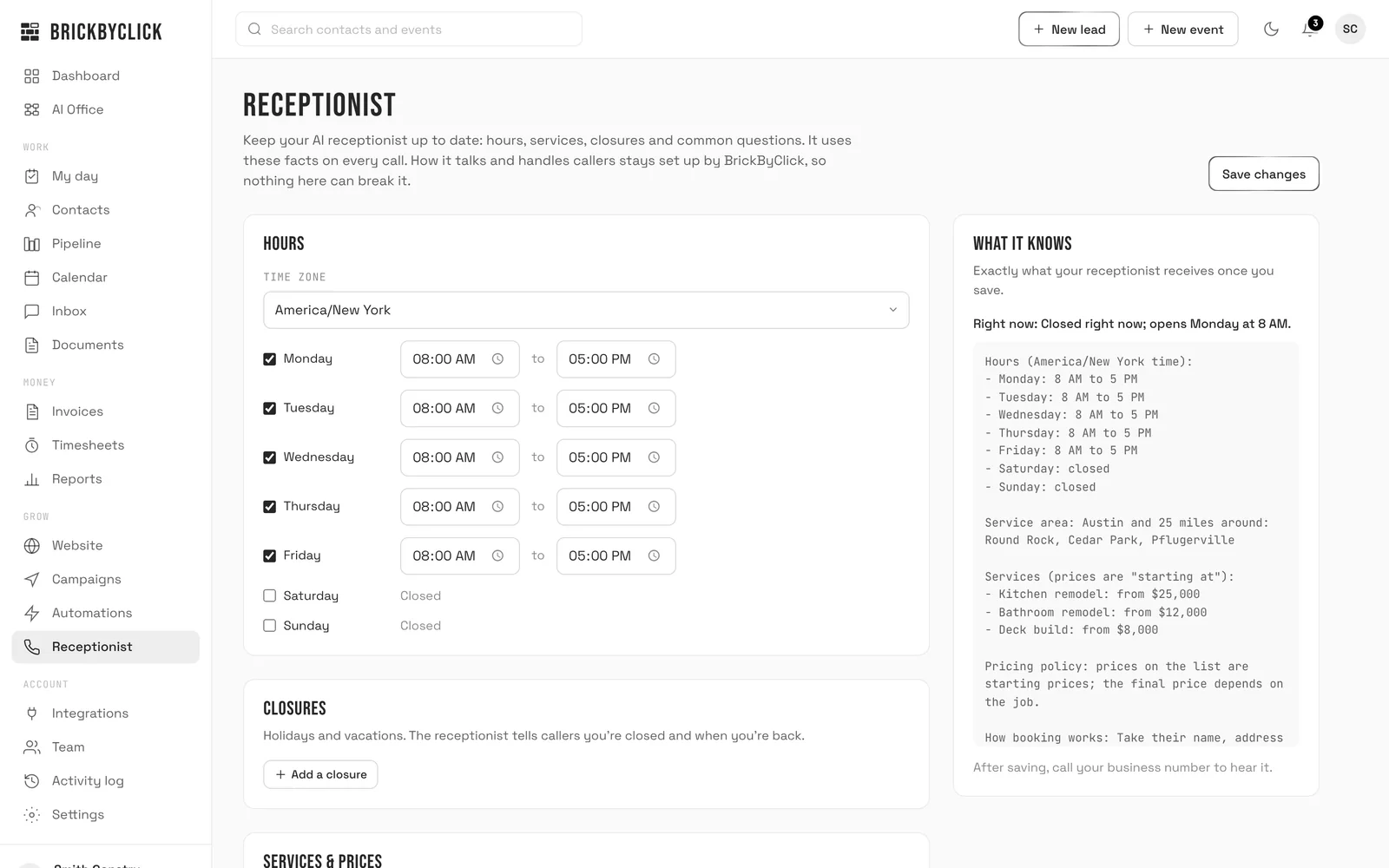
Your AI receptionist answers in your business's name, using the hours, services, prices and answers you keep on the Receptionist page. Turn on live booking and it books visits into your calendar, inside your hours and around what's already booked.

  • Greets returning callers by name and knows their upcoming visits
  • Moves or cancels a visit within your rules, or takes the request for you
  • Asks new callers how they heard about you
  • Every call in your Inbox with a summary, recording and transcript; new callers land in the pipeline
crm.brickbyclick.ai/receptionist
Receptionist settings: business hours by day, closures, and a preview of exactly what the AI receptionist knows, including service area, services and starting prices

02 · Office

The pipeline, the calendar and the team.

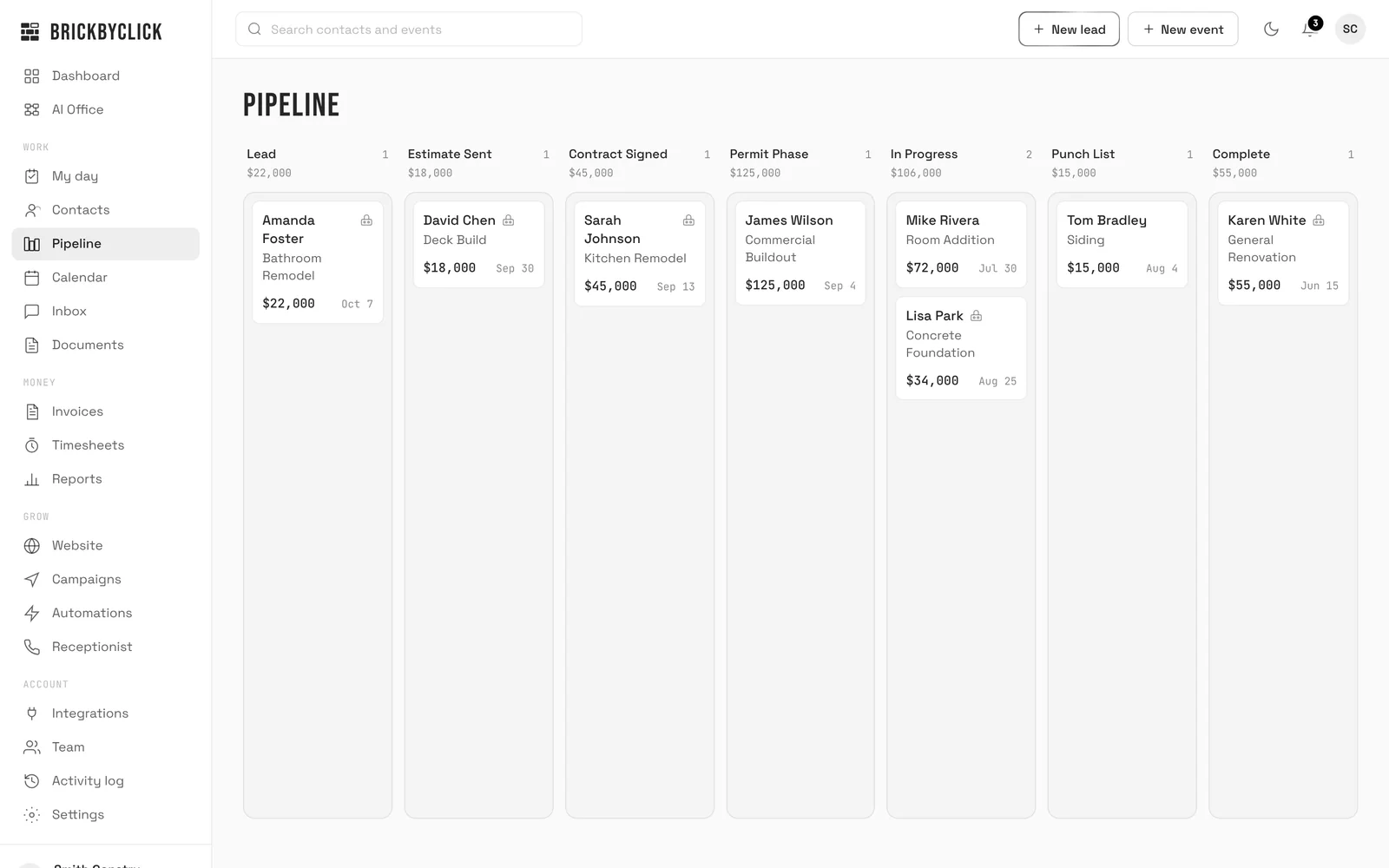
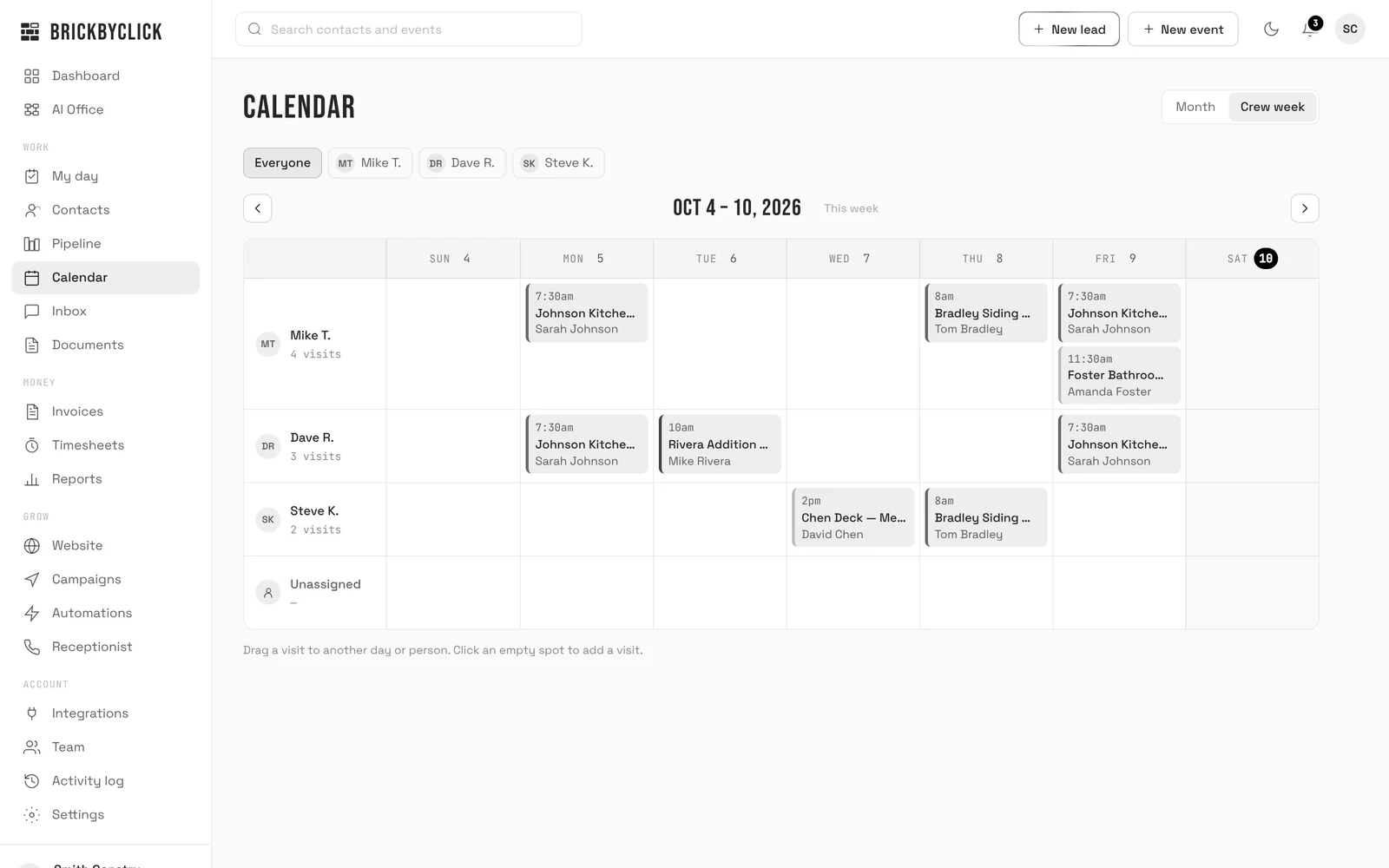
Every lead and job sits on one board, by stage, with stages set up for your industry. The calendar shows the month or each tech's week; drag a visit to another day or another person.

  • Each contact's notes, call summaries, files and invoices in one place
  • Repeating jobs on the calendar for regular customers
  • An Inbox for calls and website form leads
  • Documents: store files and ask the AI assistant about them
  • AI business advisor on the Reports page: ask about your numbers, answered from your own data
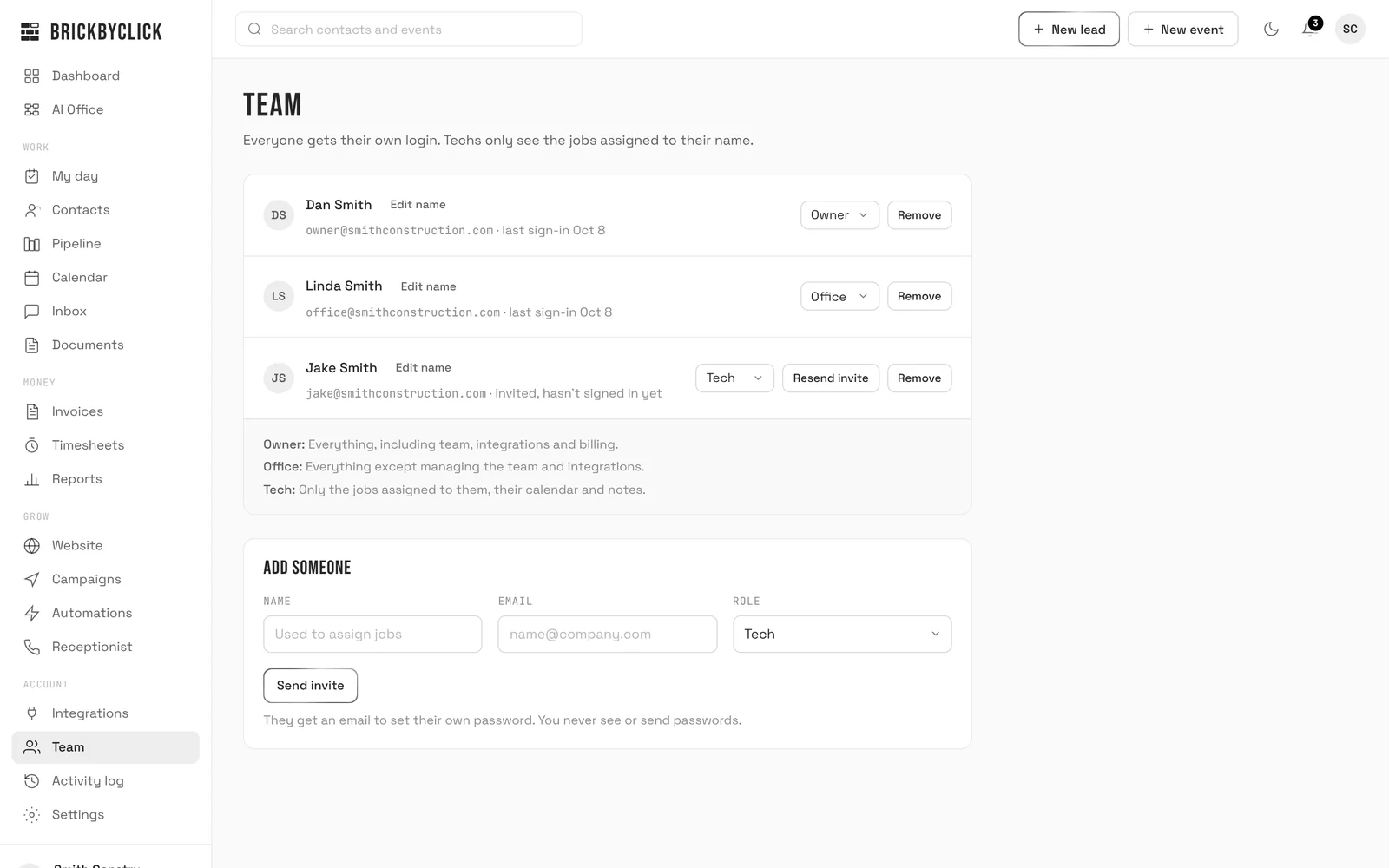
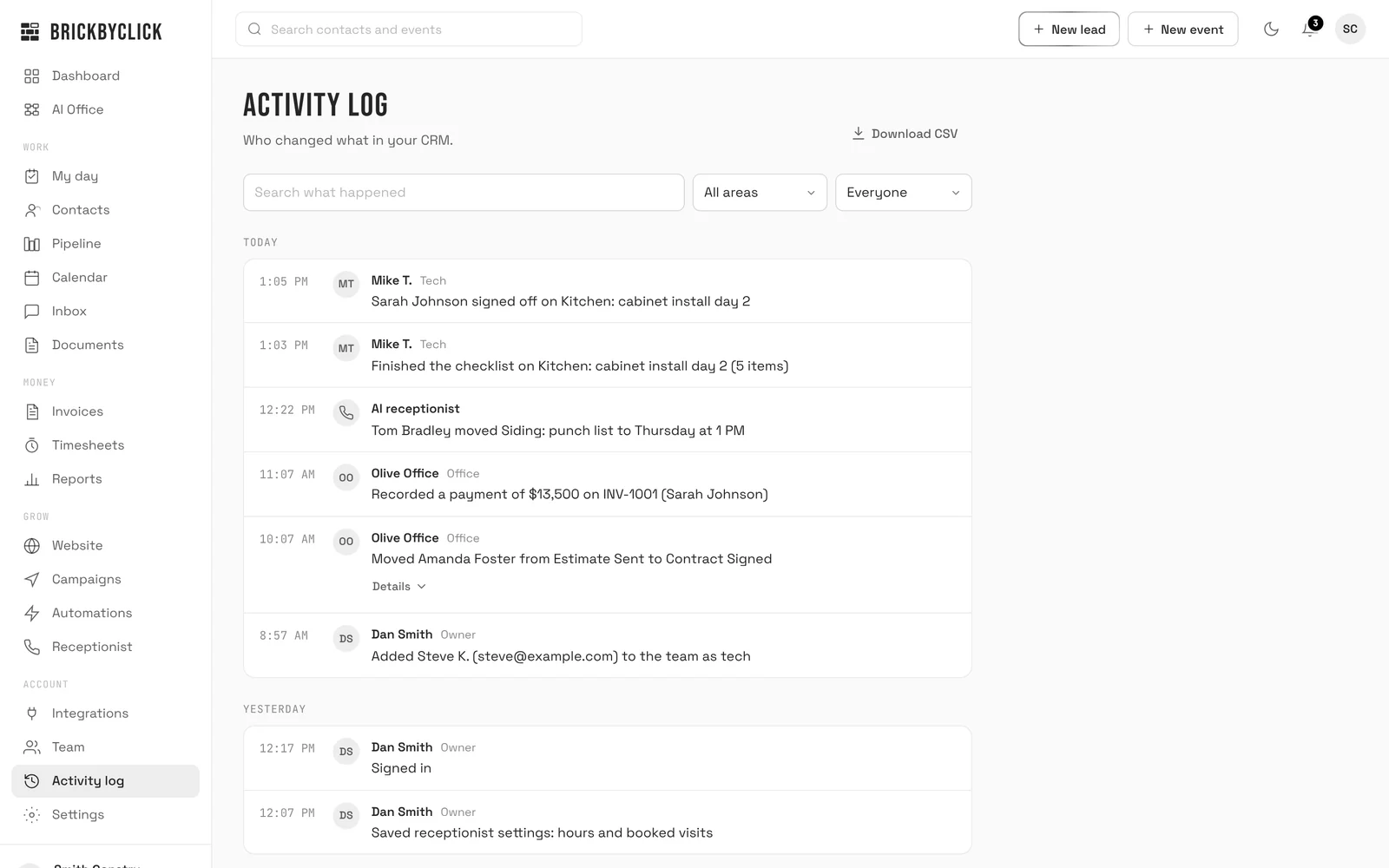
  • Reports, team logins with roles, and an activity log of who changed what
crm.brickbyclick.ai
The pipeline: every lead and job as a card under its stage, from Lead to Complete, with the total value of each stage

03 · Crew

The crew runs the day from their phone.

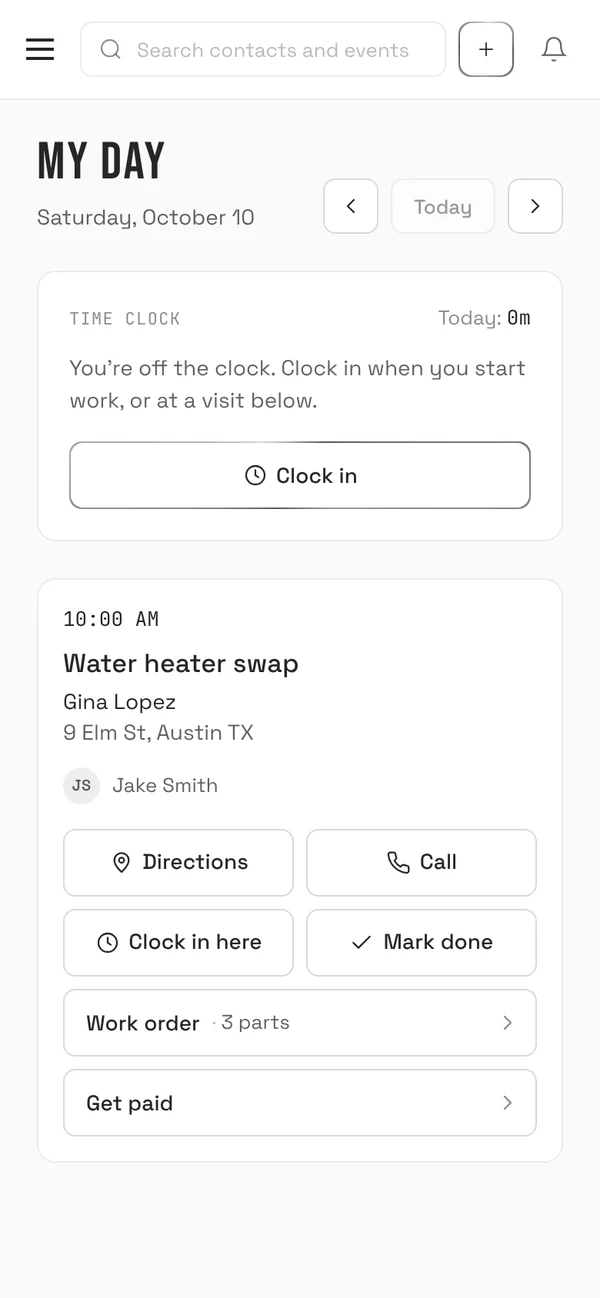
Techs get one screen, My day. Everything they do there lands back in the office: the time they clocked, the work order, the photos and the payment.

  1. My day on a phone: a 10 AM water heater swap for Gina Lopez with directions, call, clock in, the work order and Get paid
    Step 1

    My day

    Their visits with the address and directions, a call button, your notes and the equipment on site. One tap clocks them in.

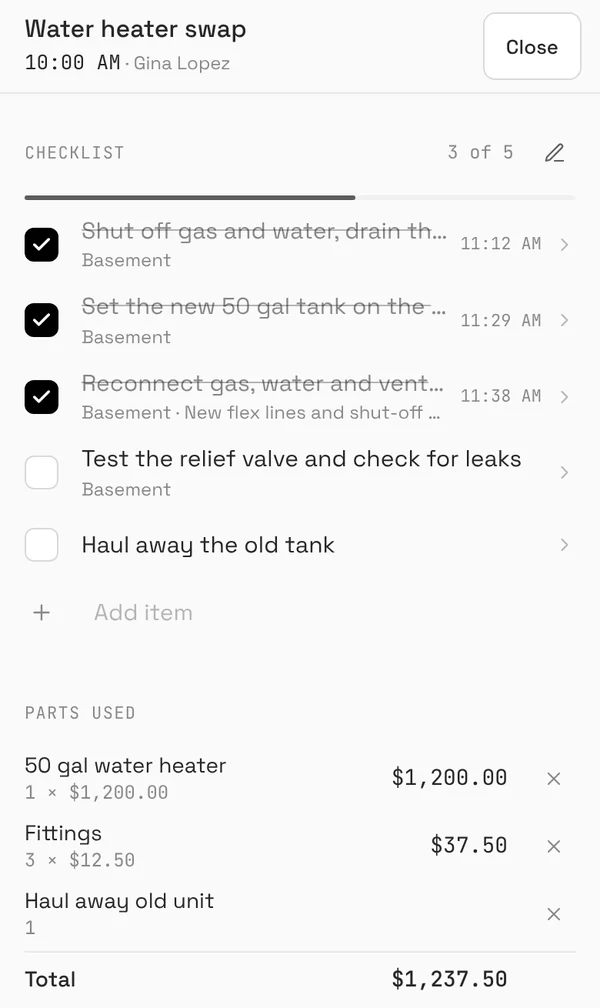
  2. The work order on a phone: a punch list three of five done, with the time each item was ticked
    Step 2

    The work order

    A checklist or punch list with photos per item and who ticked it when. Parts and materials used, a completion note and the customer's signature.

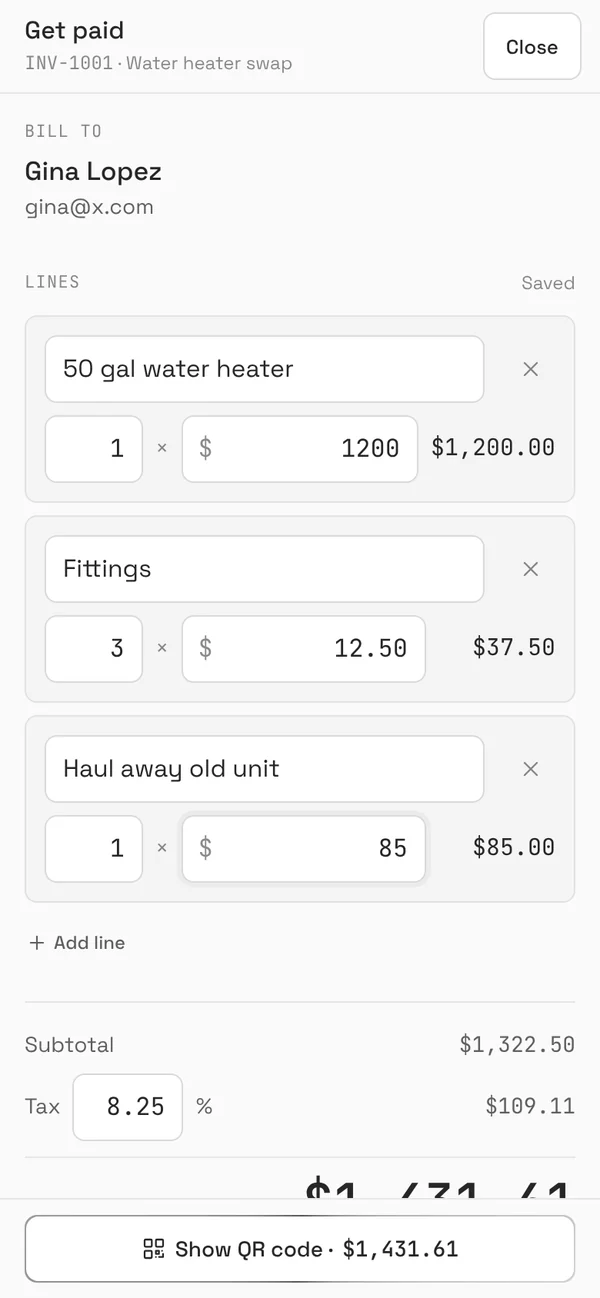
  3. Get paid on a phone: the invoice for Gina Lopez filled in from the parts used, with prices ready to adjust
    Step 3

    Get paid

    The invoice fills in from the parts used. Adjust a price, show the QR code, and the customer pays on their own phone by card or bank.

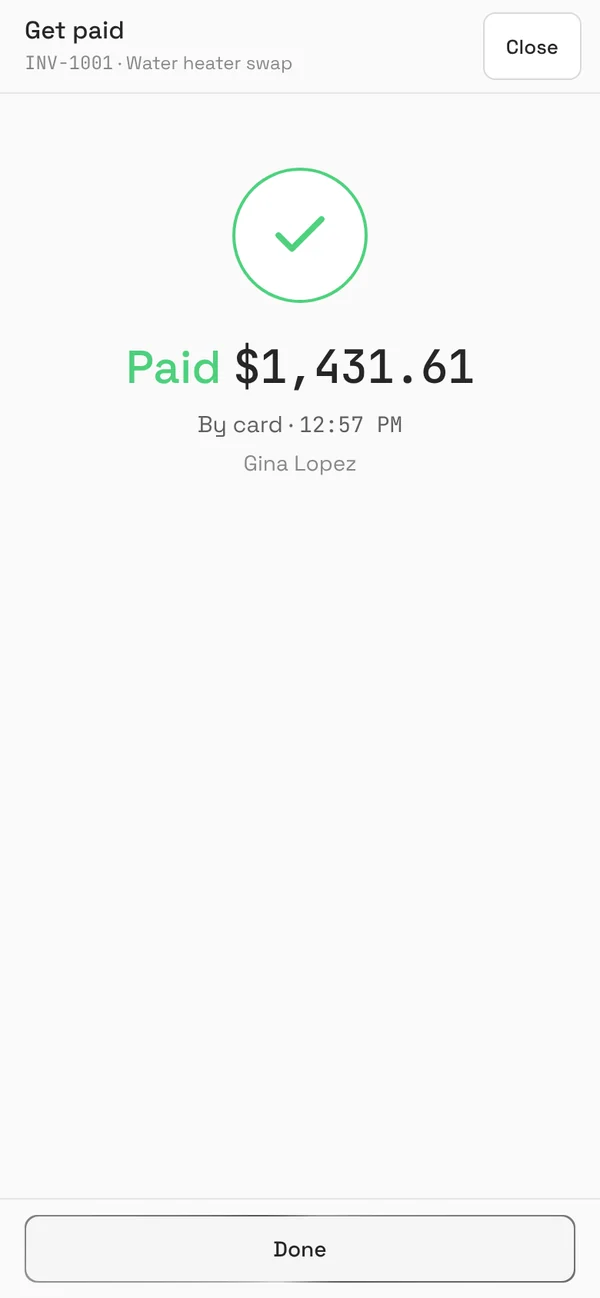
  4. The crew's phone showing Paid, $1,431.61 by card at 12:57 PM
    Step 4

    Paid

    The invoice marks itself paid and the job moves to won. Cash or a check? Record it in one tap, or email the invoice instead.

Swipe for the next step.

Clock-ins add up in Timesheets for payroll. Job photo updates go to the customer by email, so they see the work without calling to ask.

04 · Money

Estimates accepted. Invoices paid.

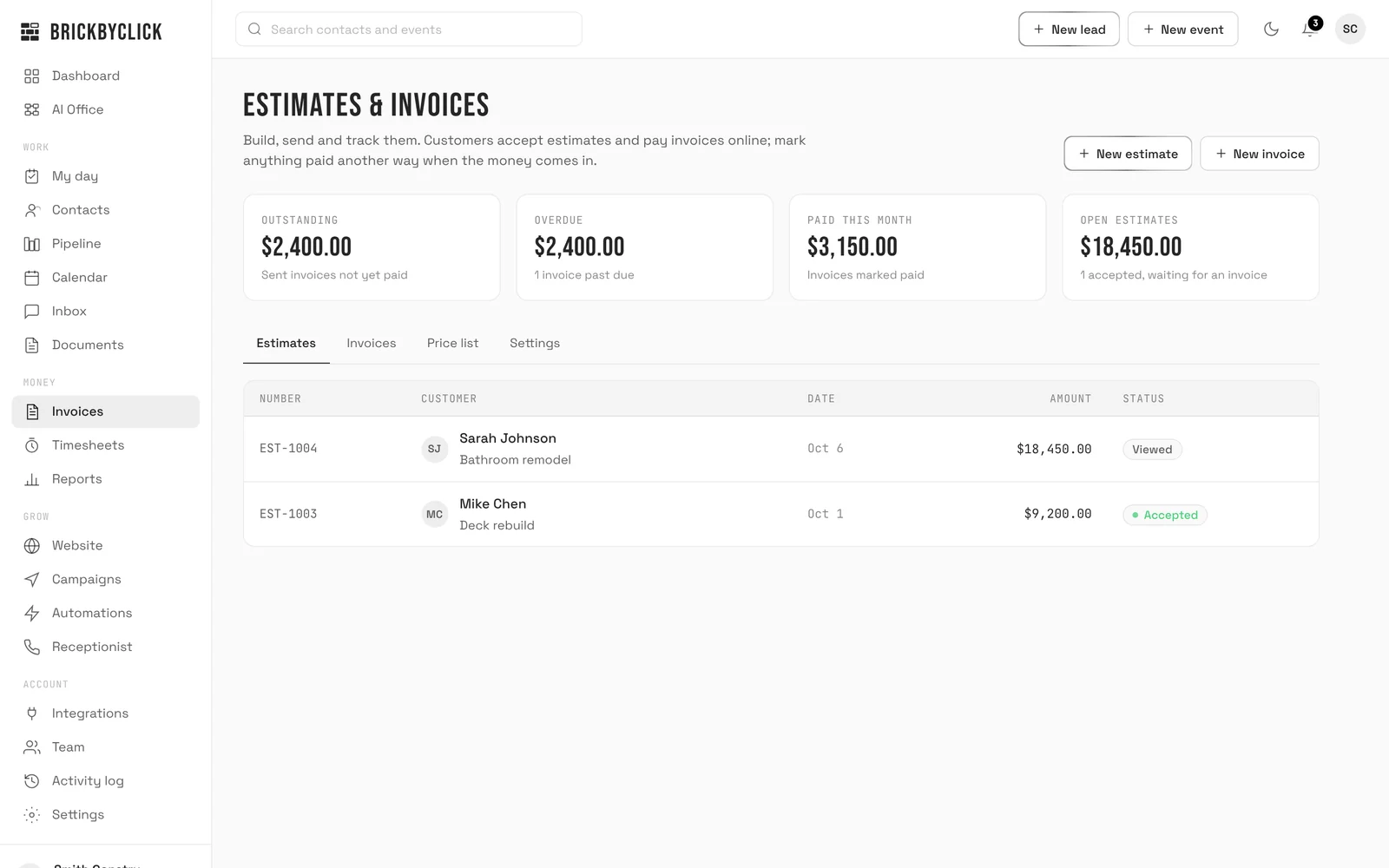
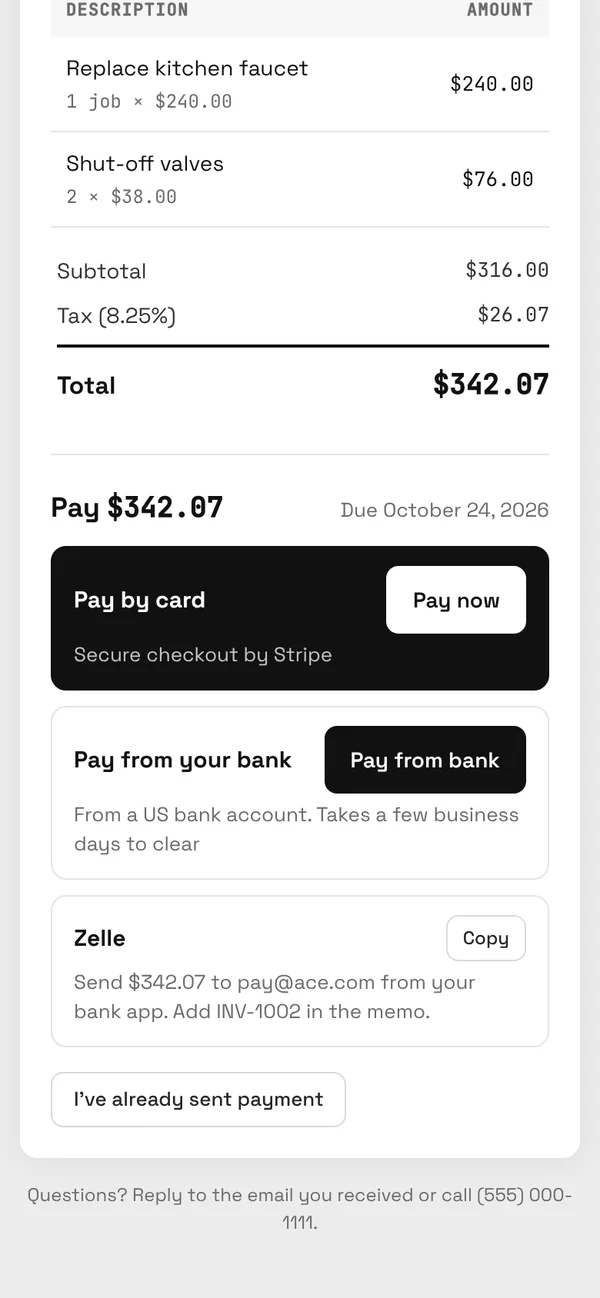
Customers view and accept estimates online, with a deposit if you ask for one. Invoices take card and US bank payments through your own Stripe account, mark themselves paid, and move the job to won.

  • Record cash, check, Zelle, Venmo, Cash App and other payments
  • Quote follow-up emails 2, 5 and 10 days after an estimate, stopping when the job moves
  • Fees: Stripe's standard processing, plus 0.5% per card payment (at most $25). No BrickByClick fee on bank payments.
crm.brickbyclick.ai/invoices
Estimates and invoices: outstanding, overdue and paid this month, with one estimate viewed by the customer and one accepted
Your side: what's out, what's overdue, what's paid.
The customer's invoice page on their phone: pay by card, pay from a US bank account, or send by Zelle
Their side: pay by card or bank.

Also in the box

The small things that save a phone call.

Customer portal

Each customer gets a private link with their upcoming visits, estimates to accept, invoices to pay, job photo updates and a way to book again.

Online booking

A booking link for your website. Customers pick a day and a time from your real open slots, inside your hours, closures and travel time.

Follow-ups by email

Google review requests the day after a job is done, and a note to past customers about a year later to book the next service.

Your day, your week

A 7 AM email with new leads, quotes waiting and today's schedule. On Fridays at 4 PM, what got paid and booked that week.

Your website

We build and host it. Ask for changes, with photos, from the Website tab in your CRM.

Yours to keep

Bring your contacts and calendar from your old CRM or your phone, and export your contacts any time. Light and dark mode, in any phone's browser.

Coming soon

Text messaging (waiting on carrier approval) and QuickBooks sync. Until then, follow-ups, estimates and invoices go out by email.


Questions

Is this a custom CRM?
It's one product, set up for your business: pipeline stages, services and labels for your industry, your hours and prices for the receptionist, your team's logins, and your website. We do the setup with you in about two weeks, so you're not configuring software on your own.
How is it different from a general-purpose CRM?
Most CRMs stop at the office. BrickByClick also answers your phone, puts the work order and Get paid on the crew's phone, and takes card and bank payments on the invoice. One login, one monthly plan.
Who on my team can see what?
Everyone gets their own login. Owners see everything. Office staff see everything except managing the team and integrations. Techs see only the jobs assigned to them, their calendar and notes.
Does it text customers or sync with QuickBooks?
Not yet. Text messaging is waiting on carrier approval and QuickBooks sync is in the works; both are coming soon. Today, follow-ups, estimates and invoices go out by email, and customers pay online.
What does it cost?
The CRM comes with every plan, starting with Front Office at $399 a month, which also includes the AI receptionist with 500 minutes a month, the crew app, online payments and your website. Month to month, no setup fees. Card payments cost Stripe's standard fees plus 0.5% (at most $25); there's no BrickByClick fee on bank payments. See every plan.
Can I get my data out?
Yes. Export your contacts any time. It's your data.
See it on your own business

Fifteen minutes. We'll walk through the office, the crew's phone and the money side with a business like yours, and answer every question.